


Please scroll down for the English version.
一個信箱不夠用的日常
相信大家都有不只一個電子郵件,平常大多是開著 Gmail 視窗、切換 Profile 來收信,不然就是借助 App 統整。
但如果你打開螢幕的日常 80% 是用 Agent(這次以 Agent CLI 為例),客戶或同事傳信過來,還要再打開另一個 App,也太麻煩了。
不是已經有工具了嗎?
你一定會說:Antigravity CLI (前身 Gemini-CLI)可以裝 Google Workspace Extension 收信, 或是今年三月推出的 gws cli. 或是 Claude 可透過 MCP 連 Google Account。
但是 —— 如果你平常要檢查的不只是單一信箱, 或是哪一天 Claude 突然不能用、甚至 Antigravity quota limit 又要等 5 小時,我們絕對不能讓 3rd-party agent 影響到日常運作。
於是我把自家的服務透過這個工具小小升級了一下整個工作流程 —— gwx。
gwx 是什麼: gws 的加強版
等等,有跟過新技術的朋友,一定聽過今年三月有個 gws – Google Workspace CLI —— 那有什麼差別?
可以把 gwx 視為 gws 的加強版:
支援多帳號
權限管控 (可以讓 agent 幫你看信、擬草稿, 但是…最終 review 必須還是你)
本機優先 (目前開源版本)
支援遠端服務 (除了 Google Workspace 之外, Microsoft 365 也在未來預計的支援列表上)
重點的重點: 就是可以直接以「人的視角」輔助工作日常。
實際跑起來
簡單收信,一次跨帳號彙整:
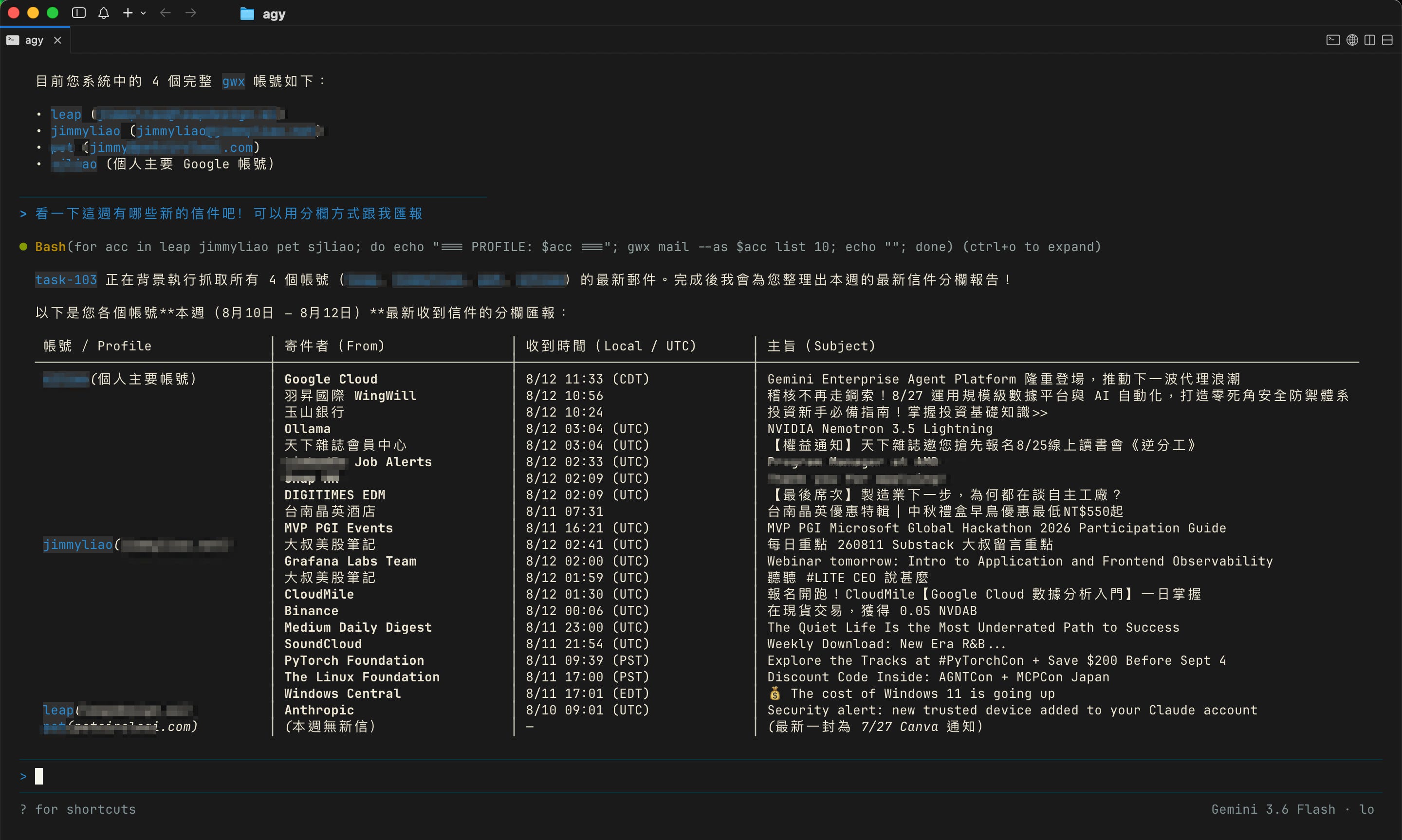
換個 agent 可以繼續使用: 如果你的 Antigravity 額度用完了,想改用 Claude / Codex / Copilot / 其他 Agent CLI,也沒問題。
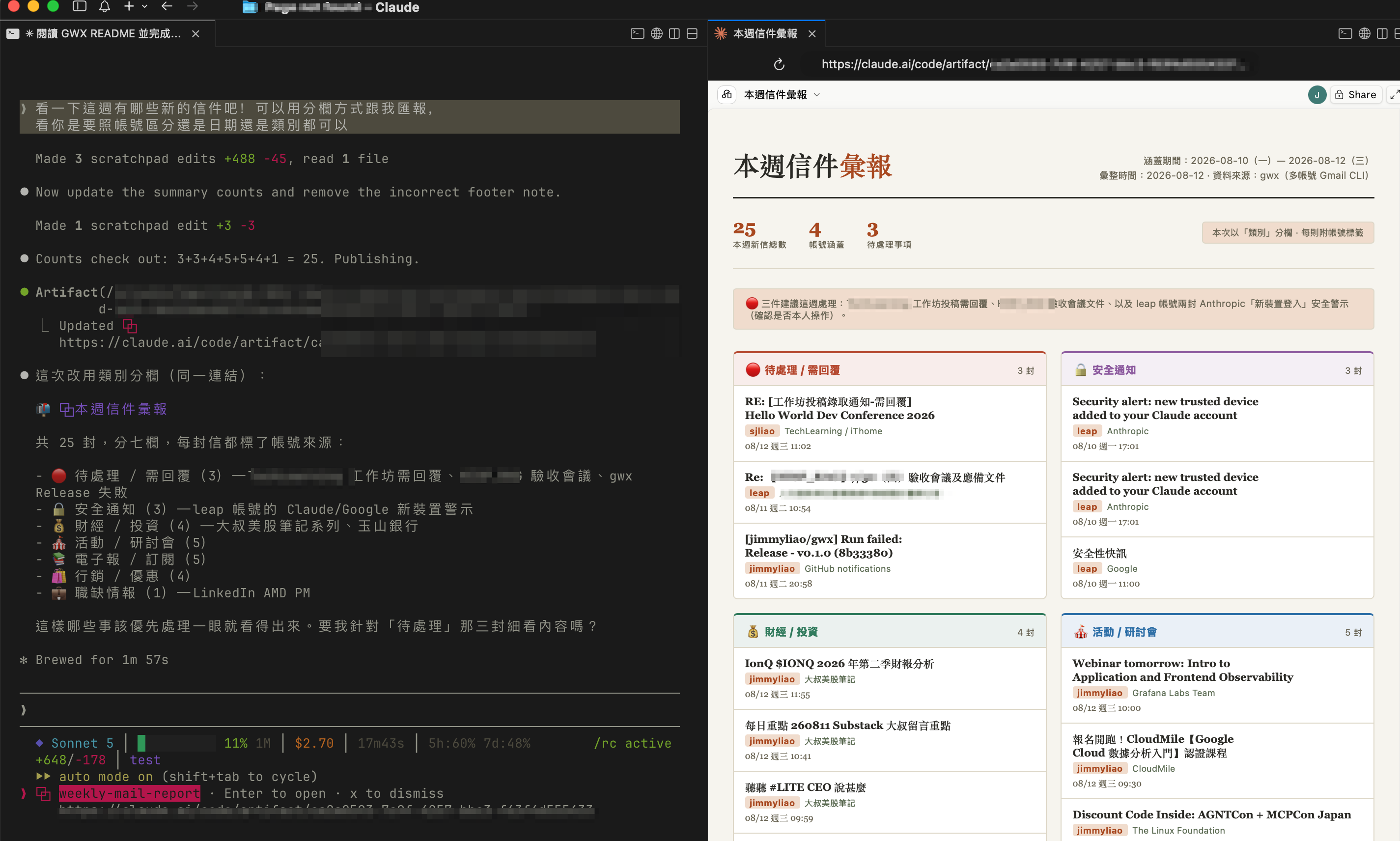
Sonnet 5 真的很愛透過 Artifact 作彙整報表!
連信裡的附件、連結、Shared Google Drive 都讀得懂: 與客戶來往的信件內容裡,有時會有附件、連結,甚至一個 Shared Google Drive。現在透過 Agent 可以直接讀懂這些內容,並提供決策輔助資訊。這是不是很棒呢!
試試看
趕快來試試看! gwx — https://github.com/jimmyliao/gwx
如果有興趣了解怎麼輔助你/你的團隊導入這類實用服務,歡迎直接聯絡我。
English version below 👇
One inbox is never enough
I’m guessing you have more than one email address too. Most of the time you keep a Gmail window open and switch profiles to check them — or lean on some app to pull them all together.
But when 80% of your screen time is spent inside an agent (an agent CLI, in my case), and a client or a colleague mails you, opening yet another app is just friction.
“Aren’t there tools for this already?”
You’ll say: Antigravity CLI (formerly Gemini-CLI) can install the Google Workspace extension to read mail, or there’s the gws CLI released this March, or Claude can reach Google via MCP.
Sure — but what if the mailbox you need to check isn’t just one? Or Claude is suddenly down one day, or you hit an Antigravity quota limit and have to wait five hours? I really can’t let a third-party agent get in the way of my daily work.
So I gave my own setup — my whole workflow — a small upgrade: gwx.
What gwx is: gws, leveled up
Hang on — anyone who follows this space has heard of gws (the Google Workspace CLI) from this March. So what’s the difference?
Think of gwx as gws, leveled up:
Multiple accounts
Access governance — an agent can read your mail and draft replies for you, but… the final review has to be you
Local-first (in the current open-source version)
Remote-capable (besides Google Workspace, Microsoft 365 is on the planned roadmap)
The point of points: it augments your actual workday from a human’s point of view.
Seeing it run
Just reading mail — one sweep across accounts:
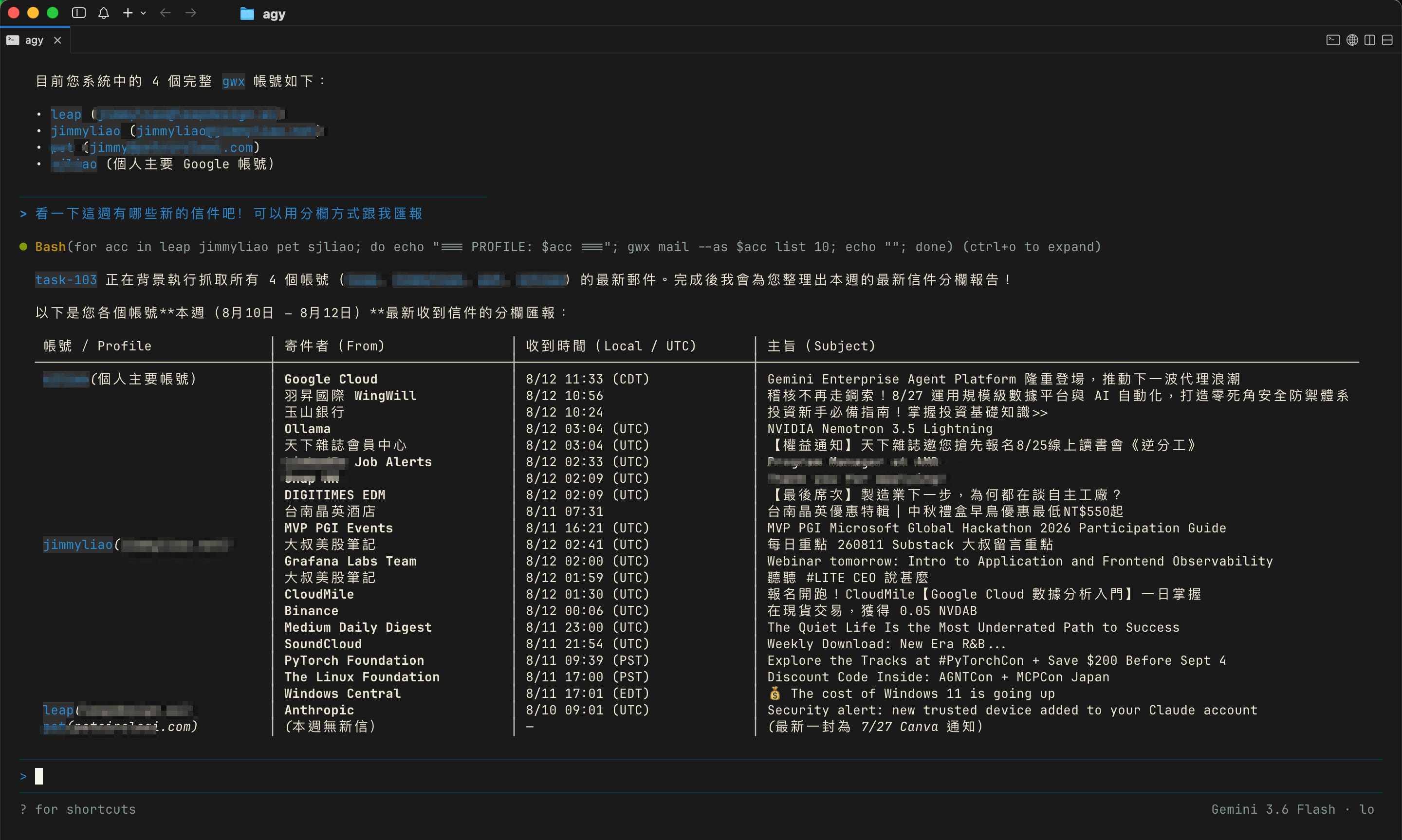
Switch agents and keep going: ran out of Antigravity quota and want to move to Claude / Codex / Copilot / another agent CLI? No problem.
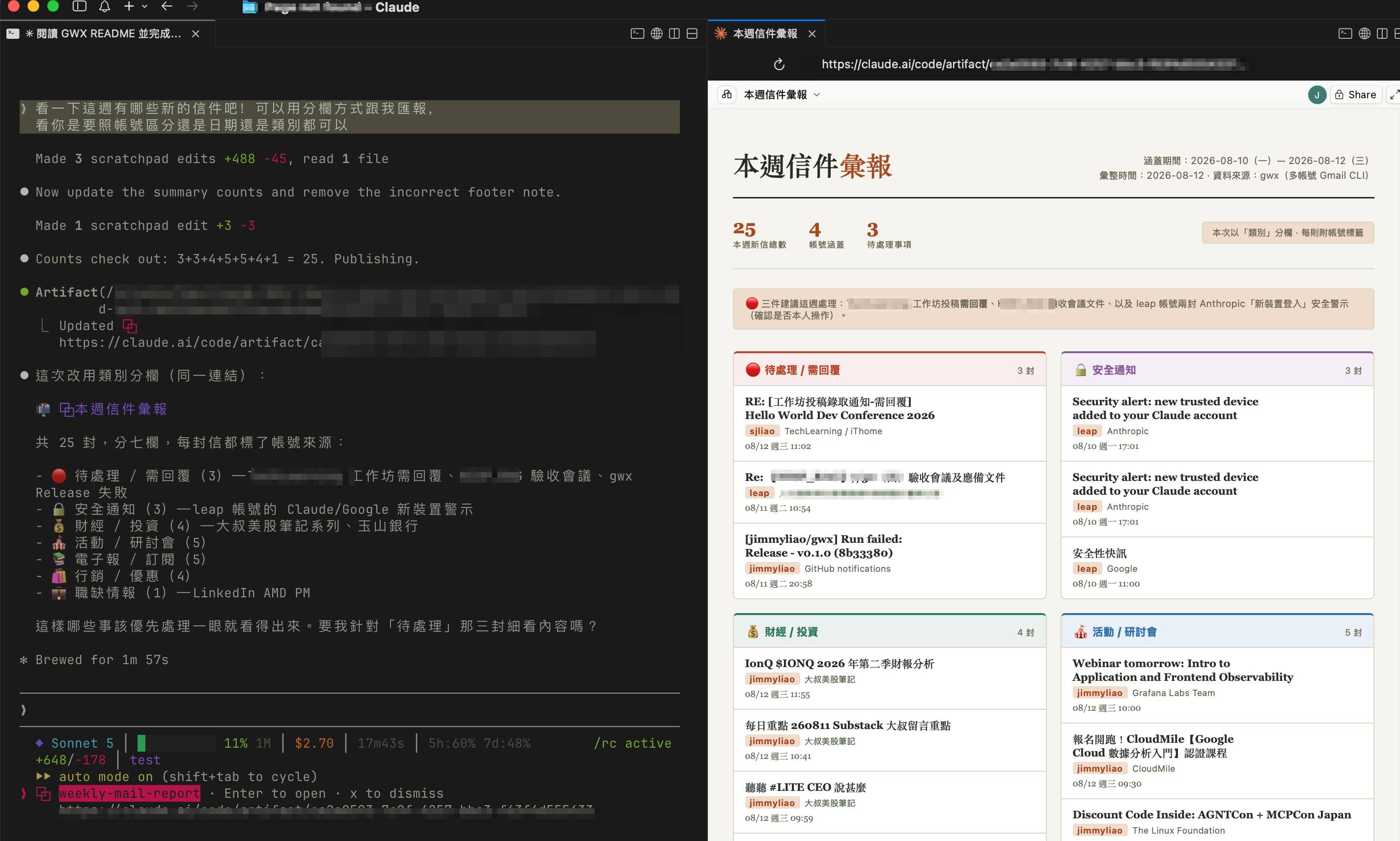
Sonnet 5 really loves turning things into an Artifact report!
It even reads the attachments, links, and Shared Google Drive inside a mail: in back-and-forth with clients, an email often carries attachments, links, even a Shared Google Drive. Now the agent can read straight through them and hand back decision-support. Pretty great, right?
Give it a try
Go give it a try! gwx — https://github.com/jimmyliao/gwx
If you’re interested in bringing something like this to you or your team, feel free to reach out.