


✨ 更多技術解決方案 → [https://leapdesign.ai/]
🌟 分享給需要的朋友
💌 [訂閱電子報](https://leapdesign.ai/zh/subscribe/),每週收到最新技術文章
大家好,又是新的一年,也即將開始 BuildWithAI 的活動,大家應該都會透過參加 Google Developers Group 舉辦的 Hands-On (動手做) 拿到試用 Google Cloud 的 Credit (點數)。這篇可以幫助你有效率的管理拿到的 Billing Account。
GCP 的專案與帳單帳戶採一對多關聯,雖然試用額度無法合併到同一個 Billing Account,但我們可以透過「重新命名」與「靈活切換連結」來優化管理效率。
將預設名稱改為具辨識度的標籤(如:Trial_End_202605xx),能讓你在多個專案測試時,可以選用到最需要消耗掉的 Billing Account ,最大化你的使用率。
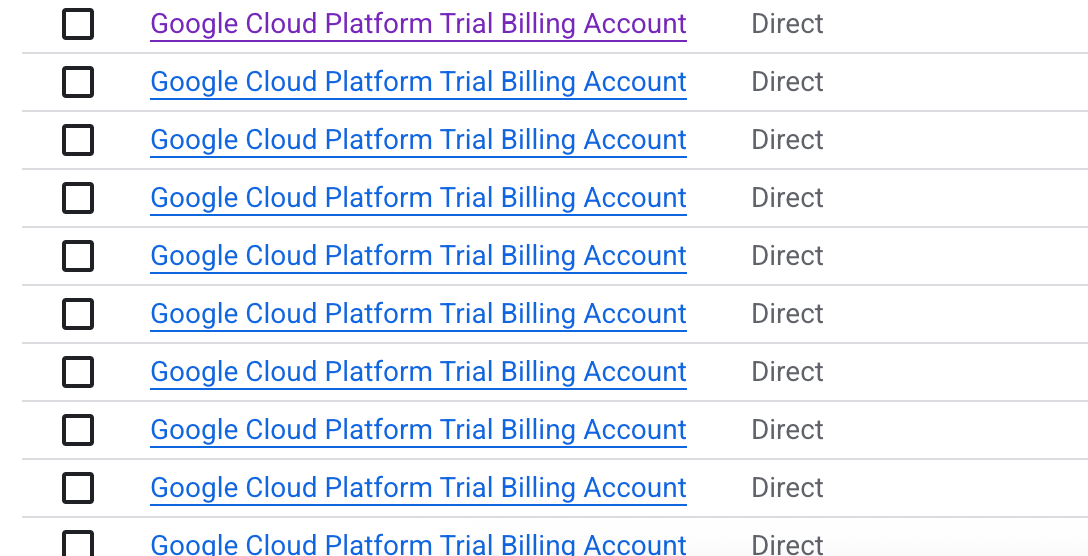
現況: 每次兌換之後,都會產生一組 Google Cloud Platform Trial Billing Account (或是對應的中文翻譯名稱)
或是你也可以從這個網址 https://console.cloud.google.com/billing 看到
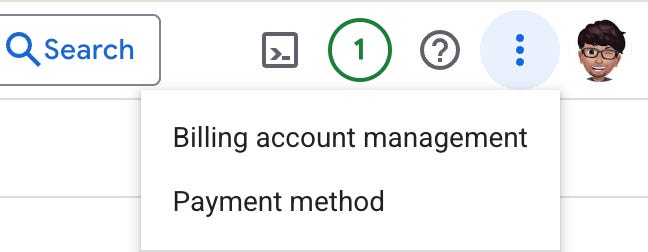
or 點選右上角的 …. > Billing account management
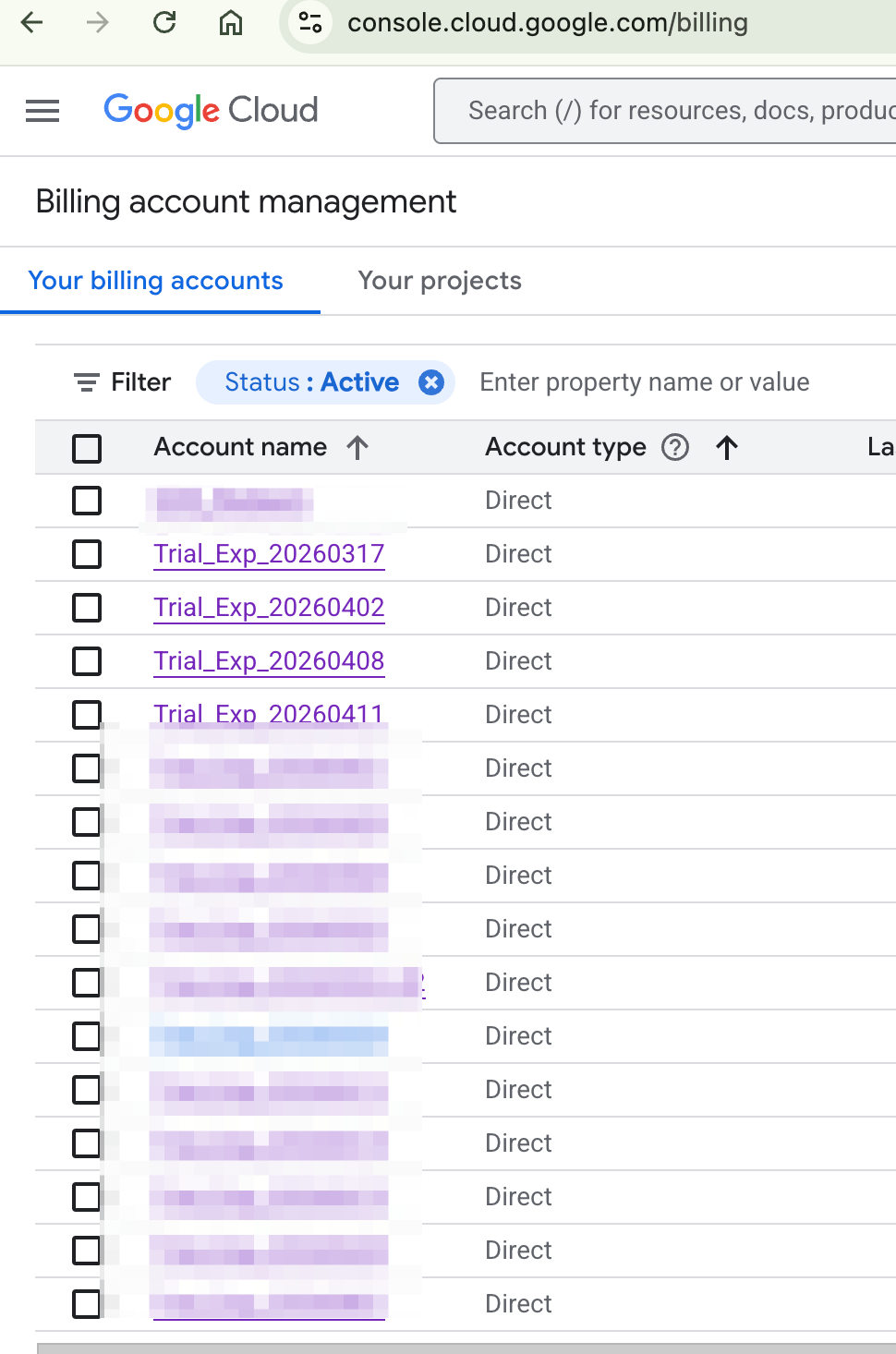
就可以看到你帳號底下所有的 Billing Accounts
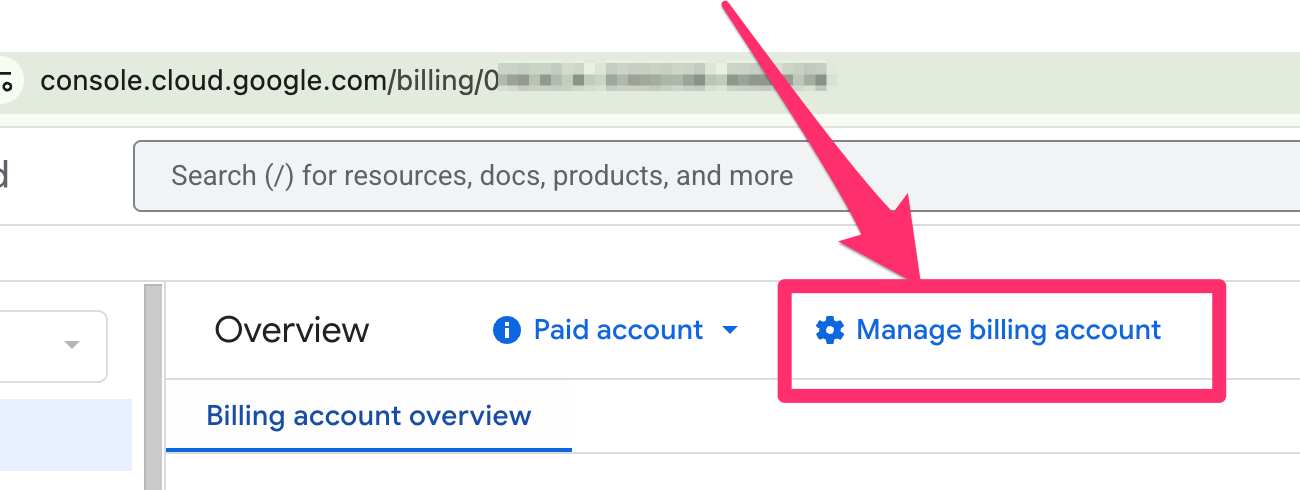
點選其中一個
點選 Manage billing account
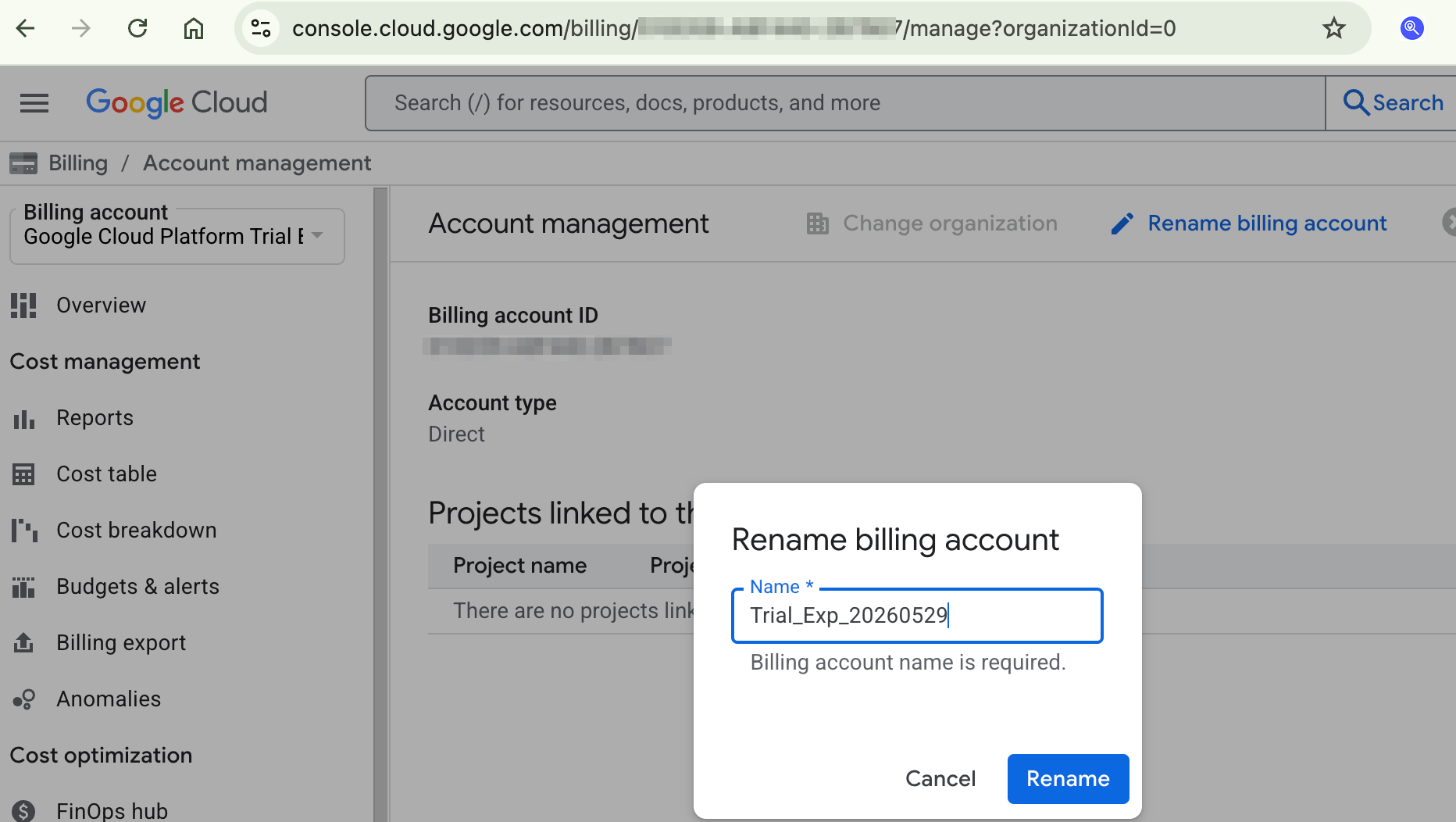
點 Rename billing account
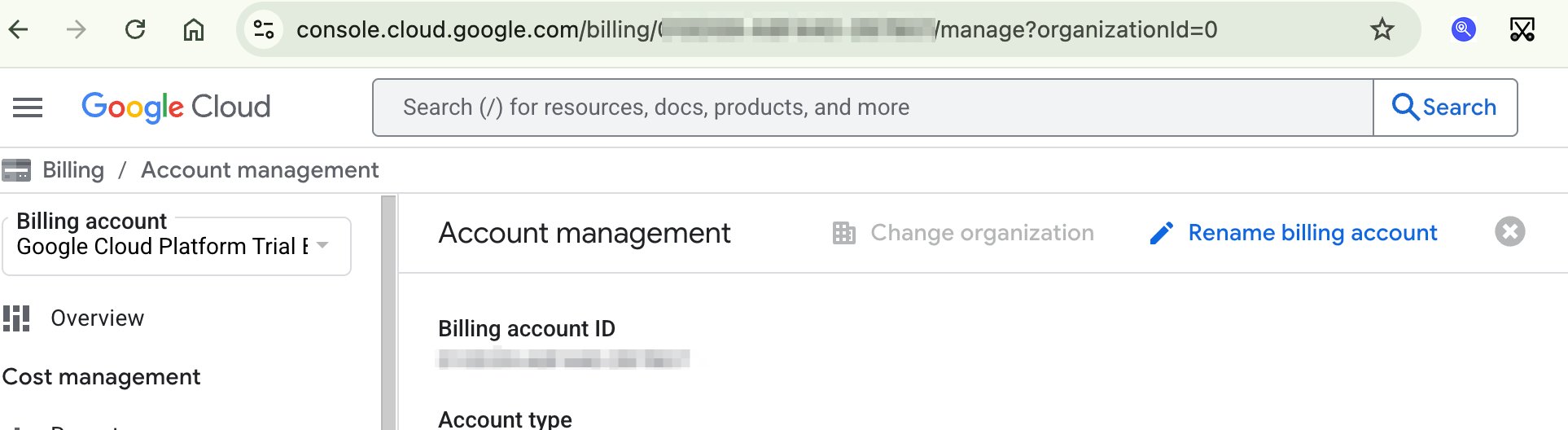
這邊可以輸入容易管理的名稱, 舉例: Credit 到期時間
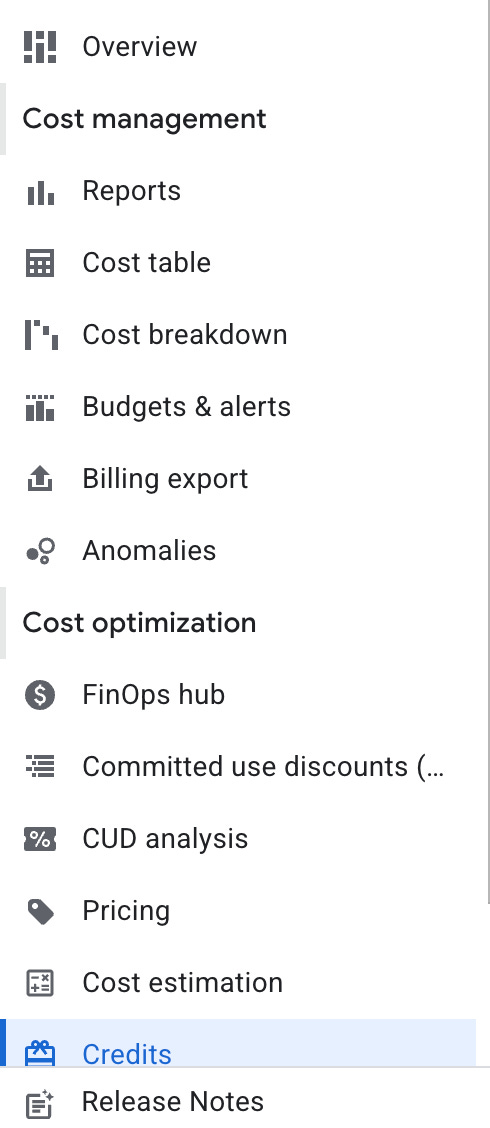
你可以從左方選單看到 Credits 檢查
舉例來說,我是命名為 Trial_Exp_yyyymmdd
這樣在 GCP Project 選擇 billing account 時, 就會更方便了!
(Optional) 新增 GCP Project 並連結到 Billing account
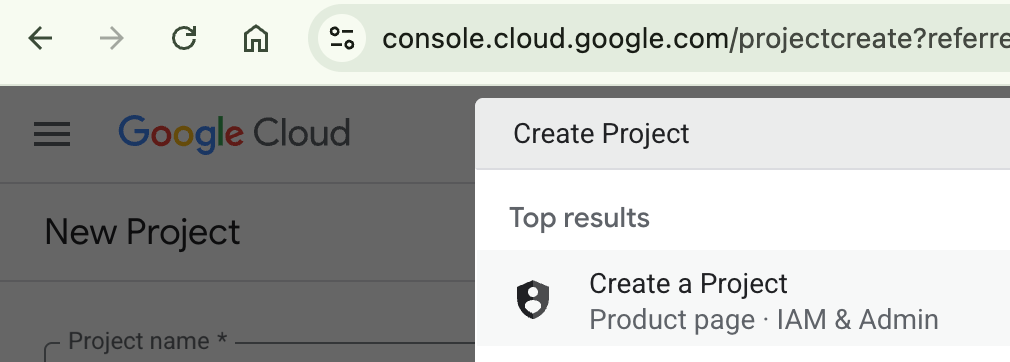
接著,你可以新增一個 GCP project,搜尋 Create Project
或是網址 https://console.cloud.google.com/projectcreate
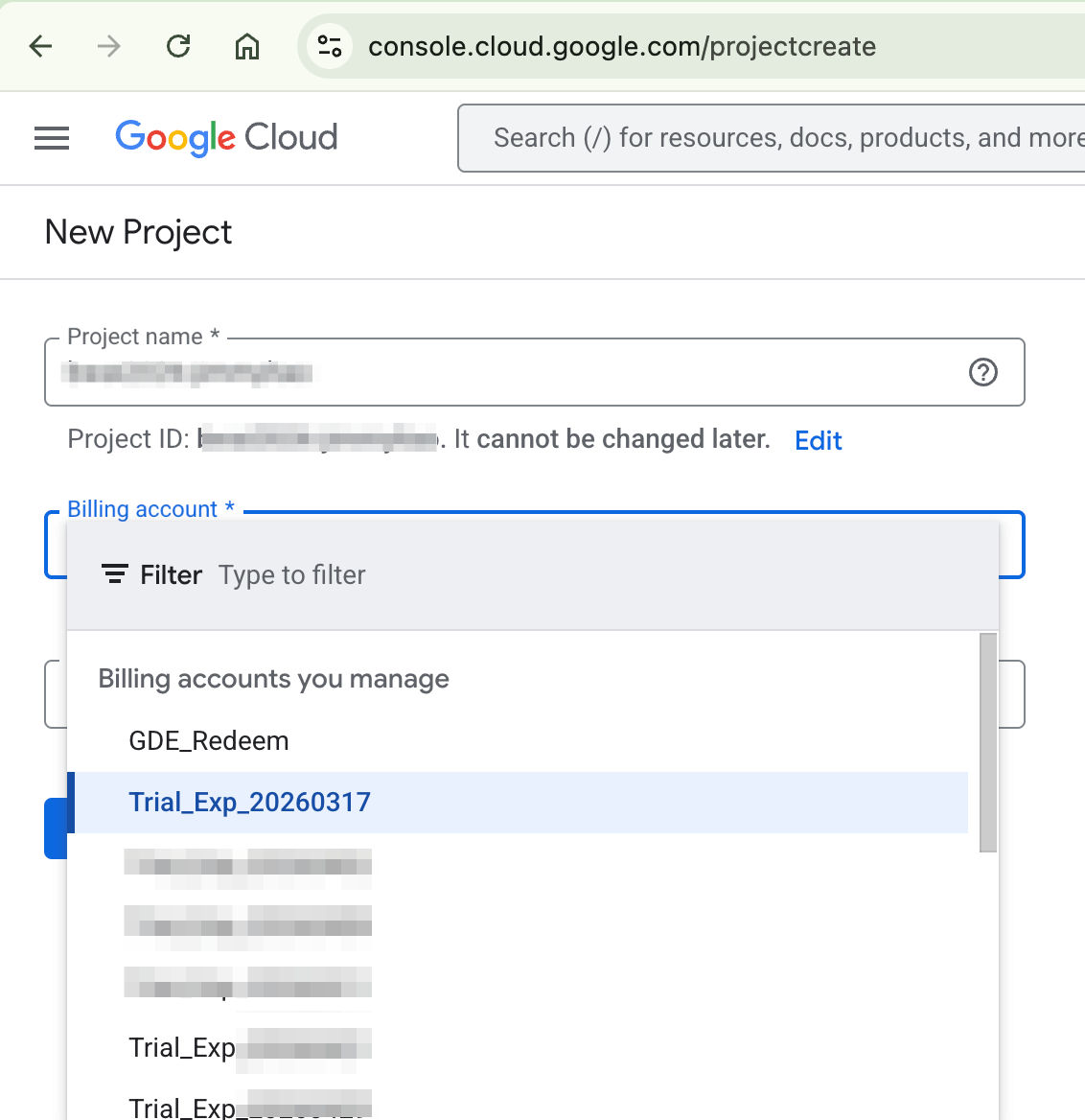
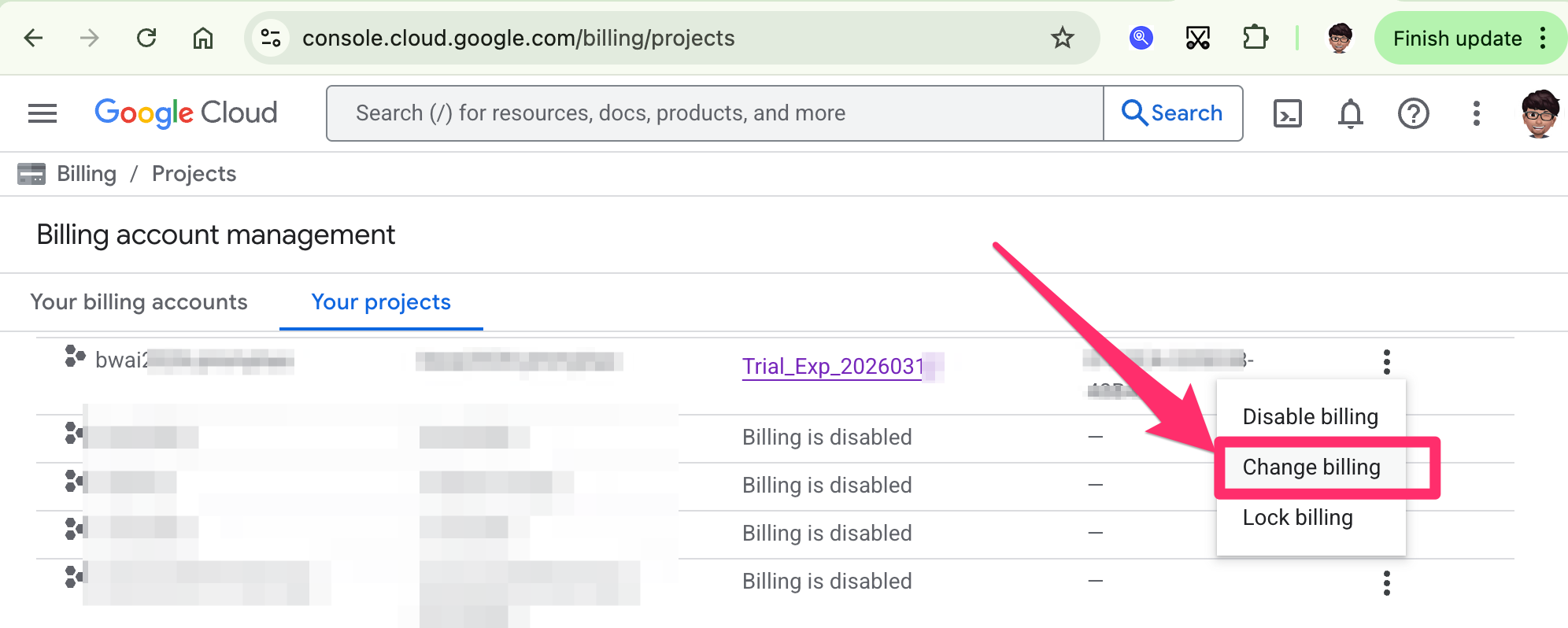
之後當 Billing account 的 Credit 使用完之後,想要切換到其他 Billing account
搜尋 Billing > Manage billing accounts
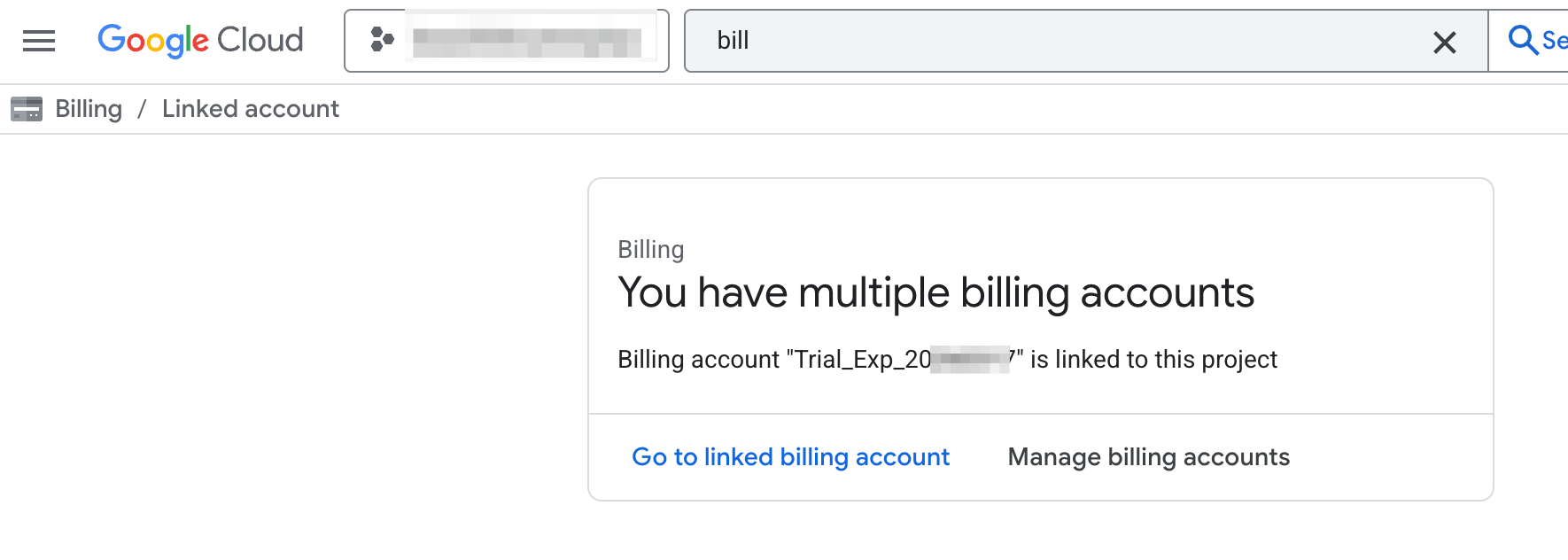
找到該專案, 右方的 … 點選 Change billing 即可
✨ 更多技術解決方案 → [https://leapdesign.ai/]
🌟 分享給需要的朋友
💌 [訂閱電子報](https://leapdesign.ai/zh/subscribe/),每週收到最新技術文章